
Scan, Test, Deploy: The Security Habit Every Small Business Needs
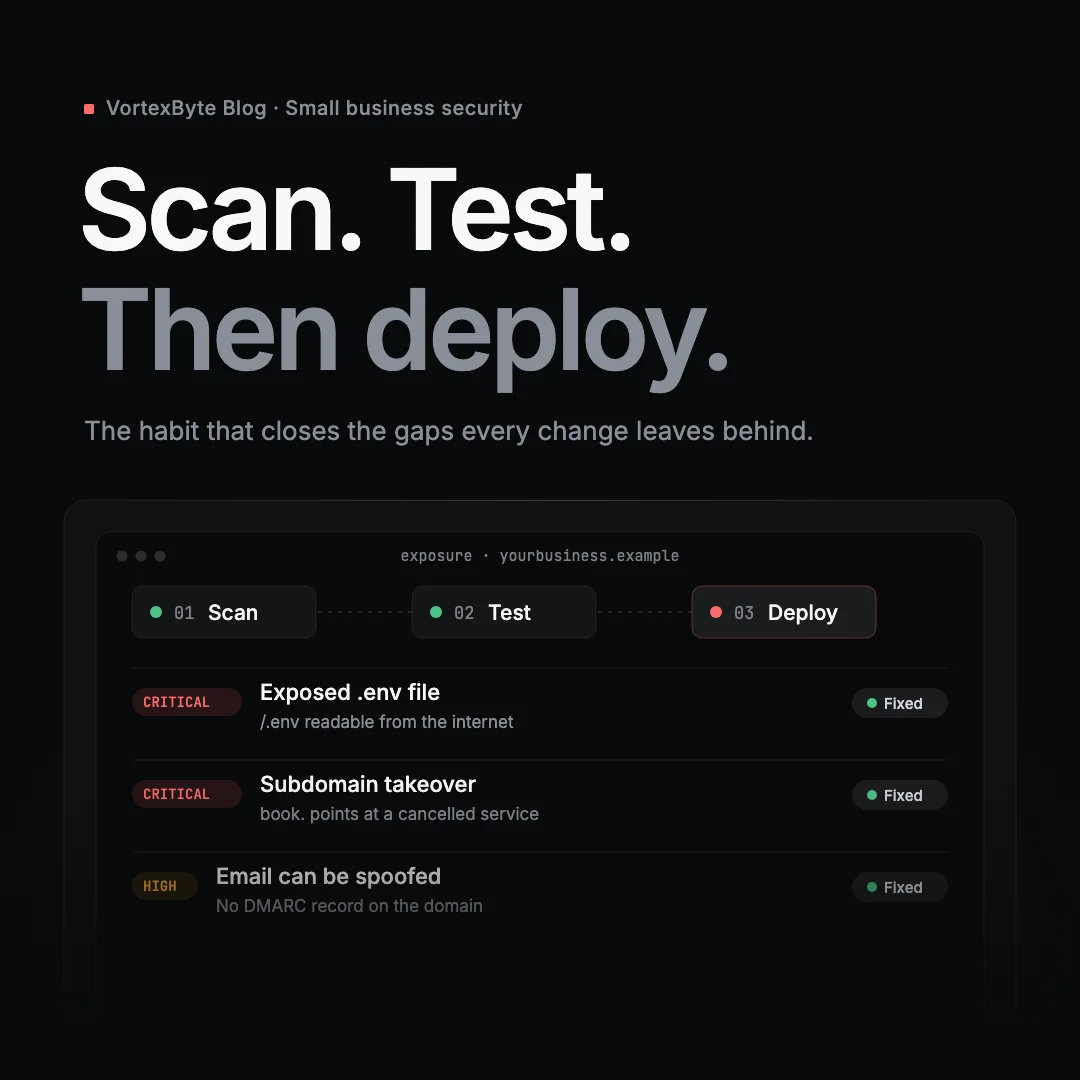
Here's how it usually goes.
On Friday afternoon, a small accounting firm launches its new website. The agency did a good job: it's fast, it looks great, and the contact form works. Everyone goes home happy.
What nobody noticed is that the site's configuration file, the one holding the database password and the email service key, can be downloaded by anyone who types the right address. Nobody noticed that the old booking page, on a subdomain the firm stopped paying for last year, still points at a service someone else can now claim. Nobody noticed that the firm's domain still has no DMARC record, so anyone can send email that looks like it came from the managing partner.
None of this was anyone's fault, exactly. It's just that nobody checked.
Your business changes more often than you think
When people picture a cyber attack, they picture a hacker choosing a target. That's not how most small businesses get caught. They get caught by change.
Think about the last twelve months at your business:
- A new website, or a new plugin on the old one
- A move from one email provider to another
- A new booking, payments or CRM tool, often on its own subdomain
- A new agency, freelancer or IT provider with access to your DNS
- Staff joining and leaving, and the accounts they leave behind
Every one of those changes alters what your business looks like from the outside. Most of them are made by different people, at different times, and nobody is looking at the whole picture.
Two things small businesses tell themselves
"We're too small to be a target."
You're not being targeted. You're being scanned.
Attackers don't sit down and pick your firm off a list. They run automated tools that sweep the internet for known weaknesses: exposed configuration files, abandoned subdomains, domains that can be spoofed, admin pages left open. If your business turns up in the results, you're a target, whatever your size.
The numbers bear this out. Verizon's 2026 Data Breach Investigations Report found ransomware in 48% of all breaches it studied. The FBI's Internet Crime Complaint Center recorded more than $3 billion in reported losses to business email compromise in 2025 alone. That's the kind of fraud a missing DMARC record makes easier.
"My IT provider handles that."
They may well handle a lot of it. But ask yourself who actually owns each of these:
- Your DNS records, which may sit with whoever registered the domain years ago
- Your website, which may belong to a separate agency
- Your email security settings, which may have been set once during a migration and never touched again
- That subdomain someone set up for a trial three years ago
In most small businesses the honest answer is "a few different people" or "I'm not sure". Gaps open up in the space between providers. It isn't that anyone did a bad job. Each of them was only asked to look after their own piece.
The habit: Scan, Test, Deploy
Software teams learned this lesson a long time ago. You don't ship a change and hope. You check it first, confirm it works, and only then call it done. Small businesses can borrow the same habit without needing a security team.
Scan. Look at your business from the outside, the way an attacker's tools would. Do it before a change goes live, and do it on a schedule, because some things change without anyone touching them: certificates expire, services get cancelled, records drift.
Test. When a scan finds something, fix it, then check again to make sure the fix actually worked. For bigger changes, such as a new customer portal, an online shop or anything that handles personal data, an automated scan isn't enough. That's when you bring in a human to test it properly.
Deploy. Only now is the change done. Not when the agency sends the invoice, and not when the site looks right. It's done when you've checked it's safe.
A simple routine you can start this week
You don't need a security department to do this. You need a short list and the discipline to use it.
Before a change goes live
- Run an external scan of the domain or site involved
- Ask whoever is making the change which DNS records, subdomains or services they're adding or removing
Straight after it goes live
- Scan again and compare against the last scan
- Remove anything left over: old subdomains, test pages, unused DNS records
Every month
- Review your scan results, even if nothing has changed
- Check that SPF, DKIM and DMARC are still in place for every domain you send email from
- Confirm that every subdomain still points at something you actually use
Every year, or after a major change
- Have your most important systems tested by a person, not just a tool
Where VortexByte Exposure fits
We built VortexByte Exposure to make the "scan" step realistic for businesses without a security team.
Exposure checks your domain, email and websites from the outside. That covers email spoofing (SPF, DKIM, DMARC), DNS problems and forgotten subdomains that could be taken over, and website issues such as missing security headers, exposed .git and .env files and public admin pages. Every finding is explained in plain English, with step-by-step fixes for common platforms like Microsoft 365, Google Workspace, Cloudflare and WordPress.
It also covers the "on a schedule" part. Re-scans run automatically and email you when something new and serious appears. Each domain gets a score based on a published method, which helps when your cyber insurer asks how you manage risk.
The free plan covers one domain with email, DNS and website checks and a monthly re-scan. Paid plans add port and vulnerability scans and weekly re-scans, and the Business plan adds PDF reports you can share with insurers and clients.
One honest note: Exposure is an automated outside-in check, not a penetration test. It shows you what anyone on the internet can see. It can't tell you whether your staff use multi-factor authentication or whether your application's logic can be abused. For those questions, and for the "test" step on bigger changes, every Exposure finding has a button that goes straight to our penetration testing team.
Make it a habit, not a project
Security for a small business isn't a one-off audit you pass and forget. It's a habit, like locking up at night. Your business will keep changing, and that's a good thing. Just make sure every change ends the same way: scanned, tested, and only then deployed.
Check your domain free → It takes a few minutes, and you'll see what attackers see.
Planning a bigger change, like a new portal, an online shop or a migration? Talk to us about testing it before it goes live.