
35,578 Apps Left Open: How to Check What Your Team Built with AI
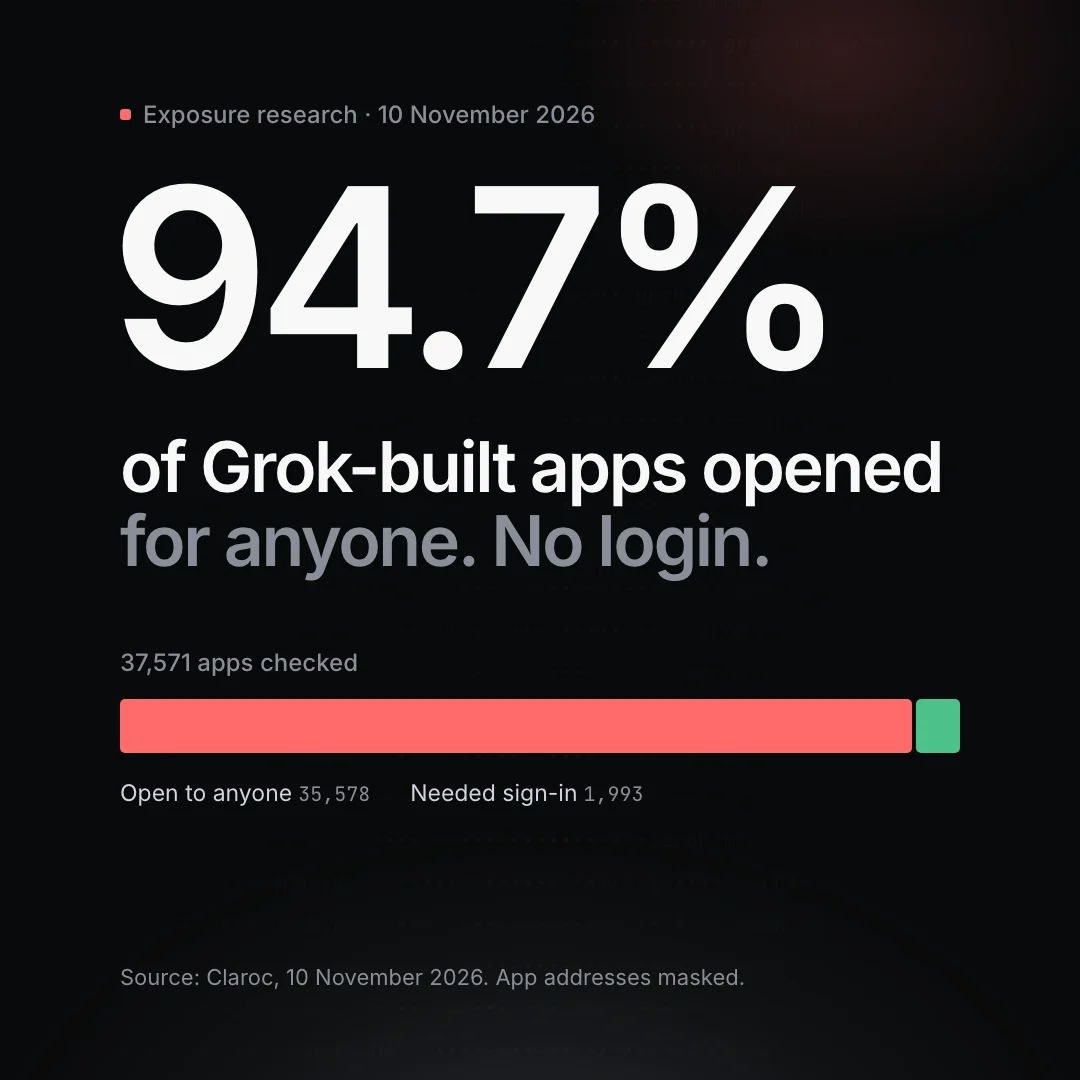
This week, security firm Claroc published research on apps built with Grok's AI app builder. Of the 37,571 apps it found online, 35,578 (94.7%) opened for anyone, with no login.
Most were harmless: games, calculators, landing pages. But Claroc estimates about one in ten held something private. Among the examples it describes: a patient's ICU briefing with lab results, a hospital group's roster of more than 3,500 staff, a fire department's live shift board, and a contractor's timesheet app with 18 staff passwords, admins included, in code that every visitor's browser downloads.
None of these apps were built by an IT department. People built them in an afternoon, to solve a real problem, and shared them with a link. If anyone at your business uses an AI app builder, the same thing can happen to you, whichever tool they use.
What Claroc found
- The default was the problem. When Claroc published a test app, the sharing option was already set to "Anyone with the link". The other choices, "Invited users" and "Only you", blocked outside visitors when Claroc tried them.
- Real organisations were affected. Claroc says it identified 30 organisations beyond Grok's own company, including six in the Fortune 500, as well as 24 apps belonging to staff at SpaceXSI and X, such as a sales territory map and campaign reports.
- Sign-in added by AI wasn't always real protection. In one of Claroc's own test apps, the Google sign-in the AI added let any Google account in, including accounts that weren't on the team.
- The fix is partly with the vendor, partly with you. SpaceXSI told a reporter that apps stay private until their creators choose to publish and share them, and it took its own 24 staff apps offline. According to The Decoder, other users' open apps stayed online.
How a "secret" link gets found
Each published app got its own web address, made of a few random words. Nobody would guess one. But when someone opens an app, their computer looks up that address in the internet's directory (DNS), and services that record those lookups keep the name. Those records can be searched.
So "anyone with the link" really means anyone who finds the link, and links get found. Treat any app that's shared that way as public.
Five checks for the apps your team has built
1. Find out what exists
You can't protect an app you don't know about. Ask each team what they've built with AI app builders, including quick tools made for a single job. Keep a simple list: the app, who owns it, which tool built it, and what data it holds.
2. Check who can open it
For anything with internal data, set sharing to invited users or "only you". Then check it the way an outsider would: open the app in a private browser window, signed out. If it loads for you there, it loads for anyone.
3. Keep passwords and personal data out of the page
The timesheet app's passwords weren't hidden somewhere clever. They were in the code the page sends to every visitor. Search each app's code for names, emails, phone numbers and passwords. No passwords, keys or customer data should sit in an app that has no real sign-in. If you find any, change those passwords straight away.
4. Test the login from outside
A sign-in button isn't the same as access control. Try signing in with an account that shouldn't have access, such as a personal email. Make sure that account can't read, edit or delete anything. For any app that touches real customer or staff data, have someone who understands security review it before it goes live.
5. Unpublish what nobody owns
Apps outlive the reason they were built. Unpublish anything that's finished or abandoned, give every live app a named owner, and review the list every quarter.
A one-page policy for AI-built apps
You don't need to ban these tools. Your people are using them because they work. Agree on a few rules instead:
- Which AI app builders are allowed for company data, and which aren't.
- No customer, patient or staff data in an app without real sign-in and a second pair of eyes.
- Every published app has an owner and appears on the list.
- Internal apps are never shared as "anyone with the link".
- Unpublish when the job is done.
Start with what attackers can already see
AI app builders are one more way company data ends up on the open internet, next to spoofable email domains, forgotten subdomains and exposed admin pages.
VortexByte Exposure starts with a free check that shows in seconds whether your email can be spoofed, no sign-up needed. A free account with your verified domain adds subdomain-takeover and website-exposure checks, with every fix explained in plain English. None of this finds apps hosted on a builder's own domain, which is why the checks above matter.
If your team has built apps that handle real data and you'd like them tested properly, that's what our penetration testing is for. Talk to us.